Building a homelab is essential for any security researcher, but if you're spinning up intentionally vulnerable VMs like Metasploitable, you absolutely cannot have them touching your main LAN.
The Architecture
Instead of relying on hardware routers, I virtualize my entire networking stack using Proxmox VE and pfSense. I use Linux Bridges (vmbr0, vmbr1, etc.) to isolate traffic.
- vmbr0: WAN (Connected to ISP router)
- vmbr1: Secure LAN (Where my PC and trusted servers live)
- vmbr2: The DMZ (Vulnerable CTF machines)
Configuring pfSense Rules
The golden rule for the DMZ is: Traffic can flow IN, but it can never flow OUT.
In the pfSense firewall settings for the DMZ interface, I set an explicit Block rule for any traffic originating from the DMZ subnet destined for the LAN subnet. I only allow the DMZ to reach out to the internet for updates (and sometimes even that is disabled).
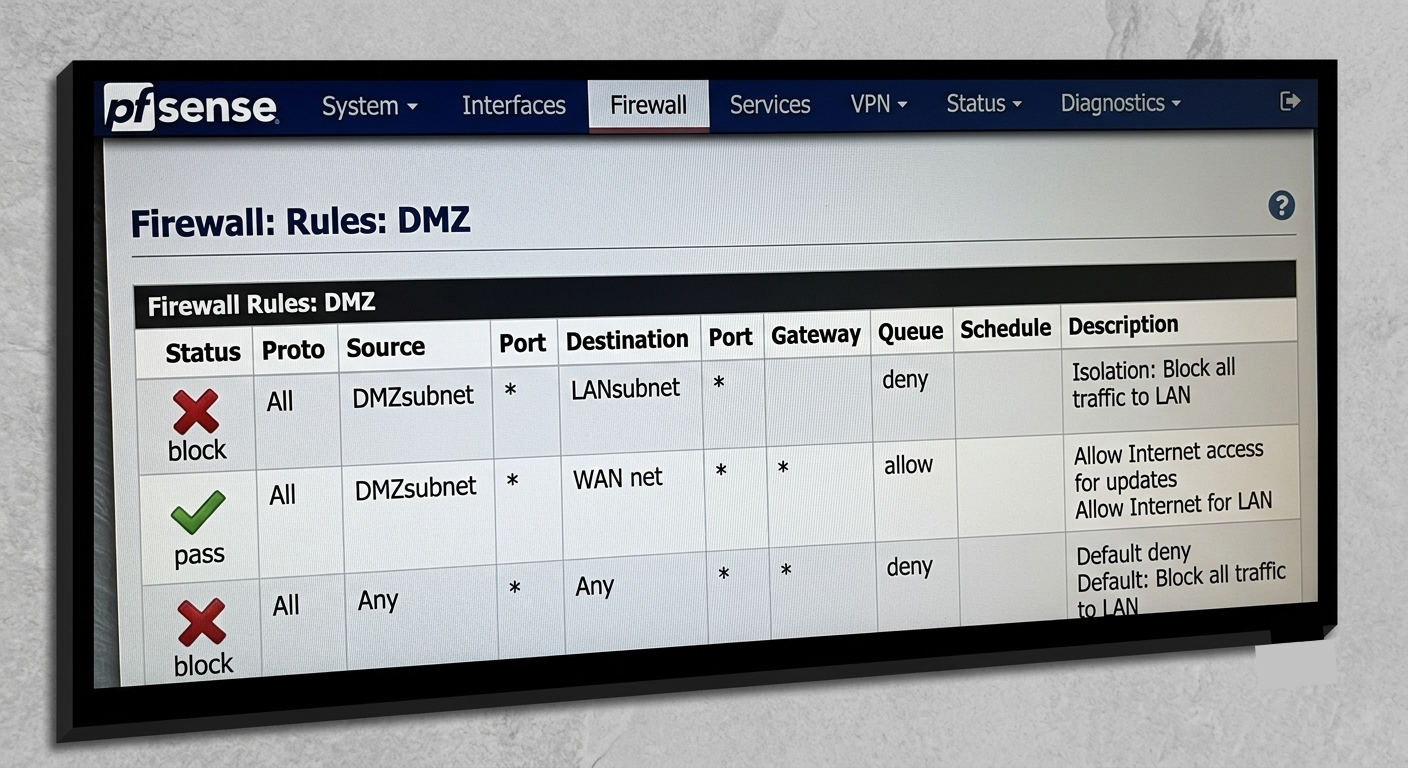
With this setup, I can safely detonate malware or run Metasploit modules without worrying about a reverse shell pivoting into my personal file server!